
Temu Seller Registration (2026): Portals, Documents and Review Checks
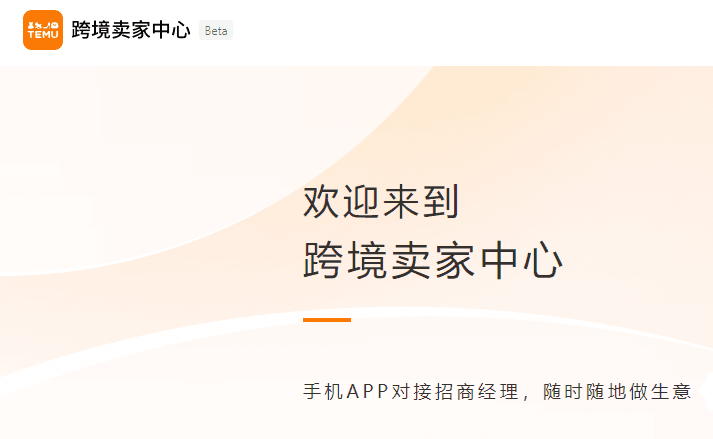
2026 review: Temu provides different seller portals, documents and fulfillment programs according to the seller's country or region. The old field-by-field list came from an early China seller flow. Use this as a preparation checklist, not a promise of current interface or approval.
Use the correct official portal
- Entities registered in Mainland China or Hong Kong: use the China/Hong Kong cross-border Seller Center.
- Entities or individuals in other supported locations: start at the global Temu Seller Center and choose the real business-registration or residence country.
The portal follows the seller's legal location, not the intended sales market. Do not enter a false address, borrow identity documents or misrepresent an entity to access another program.
Documents to prepare
Requirements vary, but organize four groups before signup:
- Account and contact: a durable phone number or email, password and operating contact;
- Entity evidence: personal identification or business registration, legal name, registration number, address and validity dates; Hong Kong entities may also need incorporation and business registration certificates;
- Responsible-person verification: identity and verification for the owner, operator, legal representative, director or beneficial owners required by the portal;
- Operating details: store name and logo, intended products, shipping and return addresses, banking or payout evidence, and relevant factory or marketplace experience.
Names, numbers and addresses should match across identity, registration and payout records. Images must be complete, sharp and unobscured. Do not send a full document pack to an unofficial “onboarding agent” over chat.
Temu seller registration workflow
1. Create the seller account
Use the correct portal, verify the email or phone number and set a password. Bookmark the official domain and return through that bookmark to reduce phishing risk.
2. Select the real entity type
Choose individual, sole proprietor, corporation or another type actually offered to your location. Check every legal name, number, address and expiration date before completing identity verification.
3. Configure store and fulfillment details
Choose a non-infringing store name and logo, identify product categories, and enter real shipping and return addresses. Programs can differ in inventory, delivery, pricing and operational responsibilities; read the rules for the specific model shown after login.
4. Submit and monitor the dashboard
Do not rely on the old “3–7 business days” statement. The global portal advertises an approximate one-business-day result for some applications, while location, supplemental review and high-risk categories can change timing. Trust the Seller Center status and official requests, not a link in an unexpected text message.
If the application is returned
- compare legal name, registration number and address across every document;
- replace expired, cropped, blurred, reflective or heavily edited images;
- verify the responsible person's relationship to the entity;
- confirm shipping and return capability for the selected program;
- check whether the product is restricted or requires additional certification.
Correct a specific issue before resubmitting instead of opening several inconsistent accounts. Registration can be free while selling still creates fulfillment, returns, advertising, program and cash-flow costs; use only the dashboard and signed terms for fee decisions.
Validate the business, not only the account
Temu can provide marketplace demand, but sellers still need a model for supply cost, shipping/warehousing, returns, penalties, promotions and payout timing. Start with a narrow category and verify margin and fulfillment before expanding listings. Approval is onboarding, not proof of a profitable business.