
How to Make a WordPress Site Multilingual — 4 Methods from Easy to Hard
Nolan聊2 min readWordPress
How do you make a WordPress site multilingual? TranslatePress is the simplest choice; alternatives include subdomain setups and full migrations. Here's how each works.
To add languages to an existing Chinese WordPress site, pick from these methods:
Method 1: A multilingual plugin (recommended)
The simplest, most effective route is a plugin that adds language switching — good for both SEO and UX.
Recommended plugins:
- WPML (WordPress Multilingual Plugin) (paid)
- Powerful, handles many languages
- Translates pages, posts, products, menus, URLs, SEO metadata
- Polylang (free + paid)
- Manual translation with an independent version per language
- Compatible with Elementor and WooCommerce
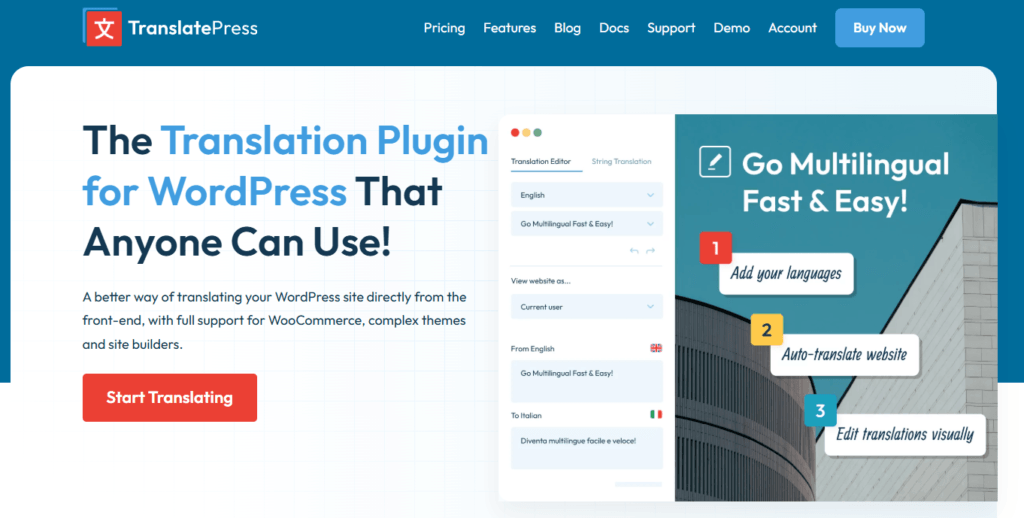
- TranslatePress (free + paid)
- Edit translations directly on the front end
- Supports AI machine translation (Google Translate integration)
Steps (using WPML as the example):
- Install the plugin → search WPML in the plugin market.
- Set the default language → your site is Chinese, so default to Simplified Chinese.
- Add a language → choose English in WPML settings.
- Translate content:
- Manually: open each post, click "+", add the English version.
- Automatically (needs an API or WPML's higher tier): DeepL or Google Translate API.
- Add a language switcher to the menu.
- Test and optimize → check pages and SEO friendliness.
Method 2: Subdirectory or subdomain (for independently managed language versions)
If you want the English version run independently (separate team, separate SEO strategy), use a subdirectory or subdomain.
- Subdirectory (example.com/en/):
- Add the language subdirectory under WordPress Settings > General.
- Install a multilingual plugin (WPML or Polylang).
- Install WordPress under
/en/and manage English content separately.
- Subdomain (en.example.com):
- Create
en.example.comin your hosting panel (cPanel, Cloudflare). - Install a separate WordPress instance for English.
- Manage content with WPML or manual translation.
- Create
Method 3: AI machine translation (for bulk work)
Don't want to translate by hand? Use AI:
- Google Translate API
- DeepL API
- ChatGPT API
How:
- Install TranslatePress.
- Enable machine translation, connecting Google Translate or DeepL.
- Auto-translate everything, then manually fix the rough spots.
Method 4: Clone the site as a standalone English site (for large projects)
For complex sites, a separate WordPress installation is the cleanest way to maintain English.
- Create a new WordPress site on the same server (example.com & en.example.com).
- Copy the content and translate.
- Run separate SEO strategies.
Which to pick
- Fast launch & low cost → WPML or Polylang.
- Independent language management → subdirectory or subdomain.
- Bulk translation → AI translation + manual proofreading.
- Large site, long-term → standalone WordPress site.
FAQ
- What is the easiest way to make a WordPress site multilingual?
- A multilingual plugin — WPML is the most complete (paid), Polylang starts free, and TranslatePress lets you edit translations right on the front end with built-in AI machine translation, making it the easiest to start with.
- Plugin, subdomain, or a separate site — which multilingual setup should I choose?
- For a fast, low-cost launch use WPML or Polylang; for independently run language versions use a subdirectory or subdomain; for bulk translation connect TranslatePress to the Google or DeepL API; for large long-term projects clone a standalone English WordPress site.
- Can AI translate an entire WordPress site automatically?
- Yes. Install TranslatePress, enable AI machine translation with the Google Translate or DeepL API, let it translate every page, then manually review the rough spots.