
Shopify Theme Guide: Free Themes, Paid Templates and PageFly
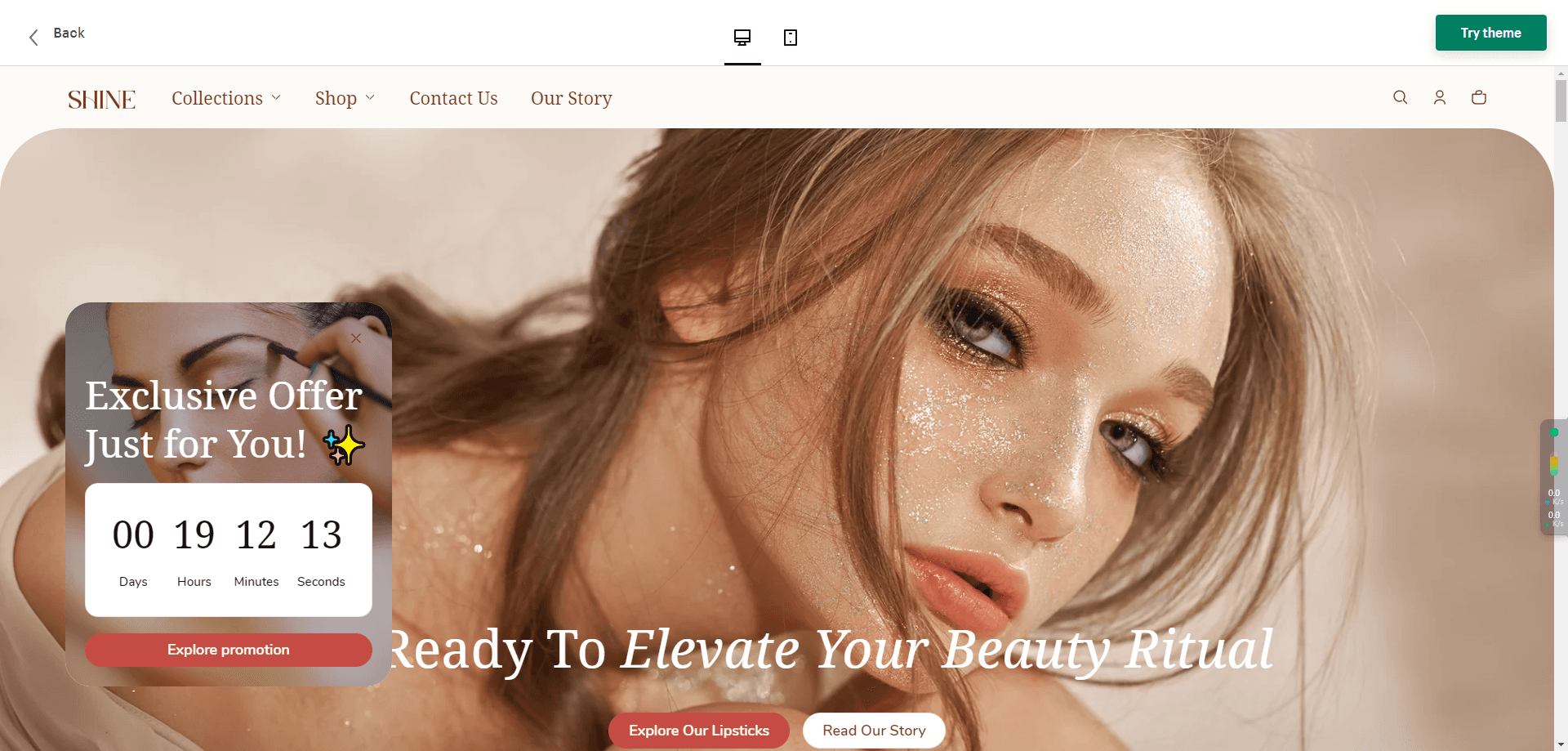
In the previous three chapters we handled store registration, domain registration and business email. Now: what is a Shopify theme? Fair warning — this step devours time.
What is a Shopify theme?
With the store registered, the house has been transferred to your name — keys in hand.
But most houses come as bare shells. Next is renovation, and choosing a theme is choosing your renovation team. Good team, comfortable life.
For most sites, a good theme saves serious time and shapes the customer's first impression — the impression that powers brand and conversion.
With your global brand attributes set, pick a suitable template to land the store fast. Below: free vs paid themes, where to buy beyond the official store, and what to weigh when choosing.
Theme types
Free themes
Shopify's official free themes are like buying the bare shell and getting the "premium renovation" thrown in.
Click "Online Store" → "Themes" to see them — all Shopify-native. Note: a fresh store defaults to the Dawn theme.
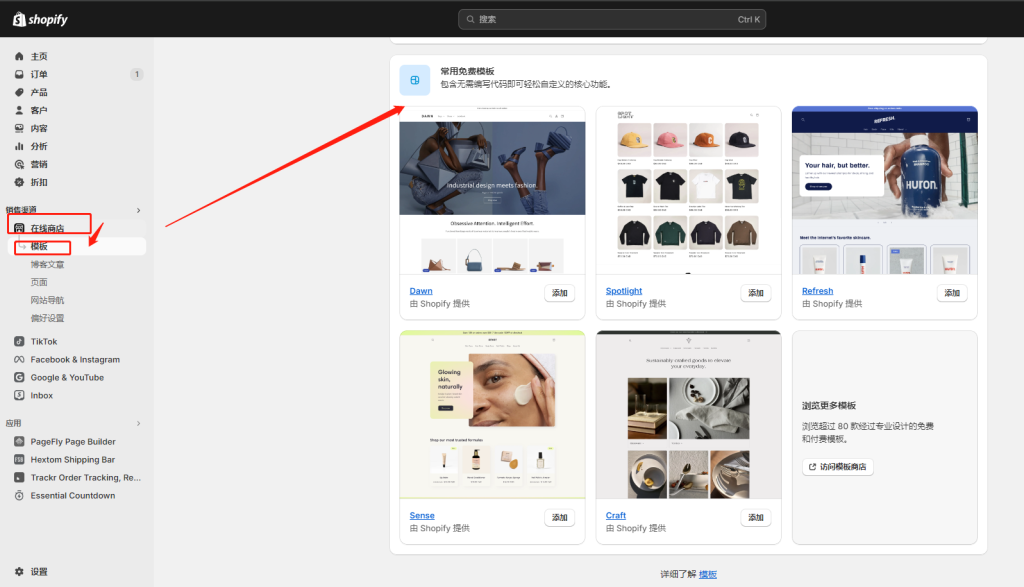
Click "Visit Theme Store" for the full official catalog.
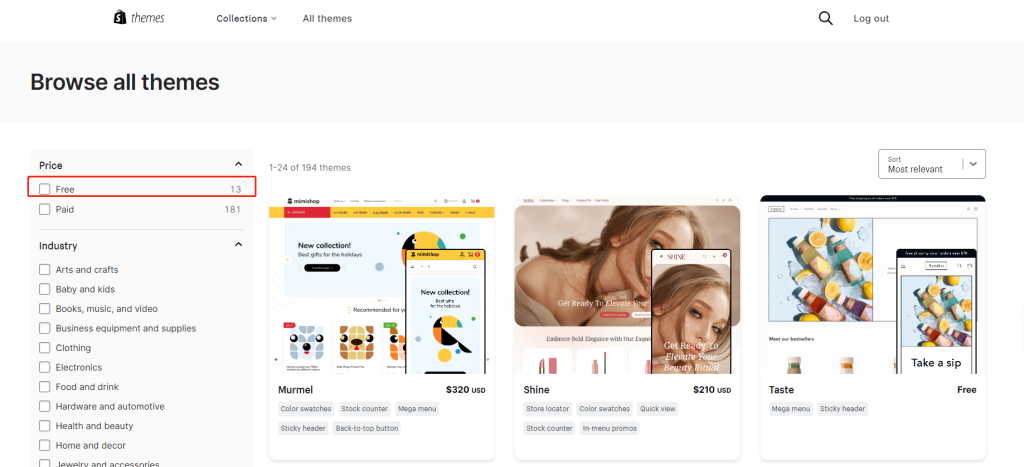
13 free themes in assorted styles — see whether one matches your taste and your customers'.
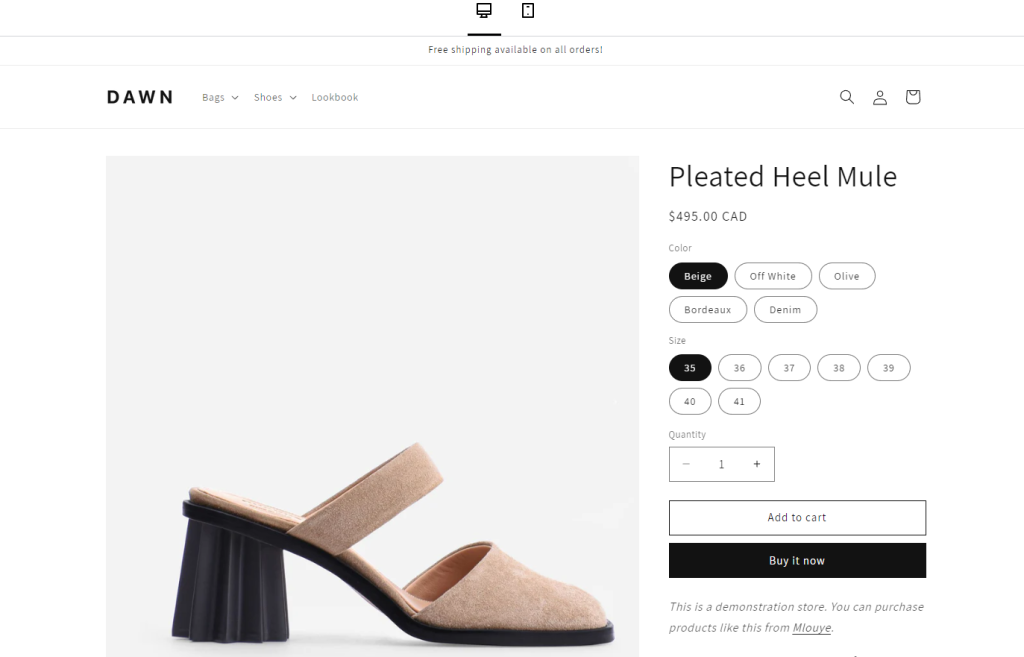
Among them I recommend Dawn:
One — I use it myself.
Two — it's the default theme, so third-party app libraries support it thoroughly. Compatibility worries vanish.
Three — it has everything, and doesn't look cheap.
Paid themes
Paid-theme prices and licenses change; use the live Shopify Theme Store rather than an old average. Before purchase, test real products, navigation, filtering, languages, apps and mobile behavior in the preview store.
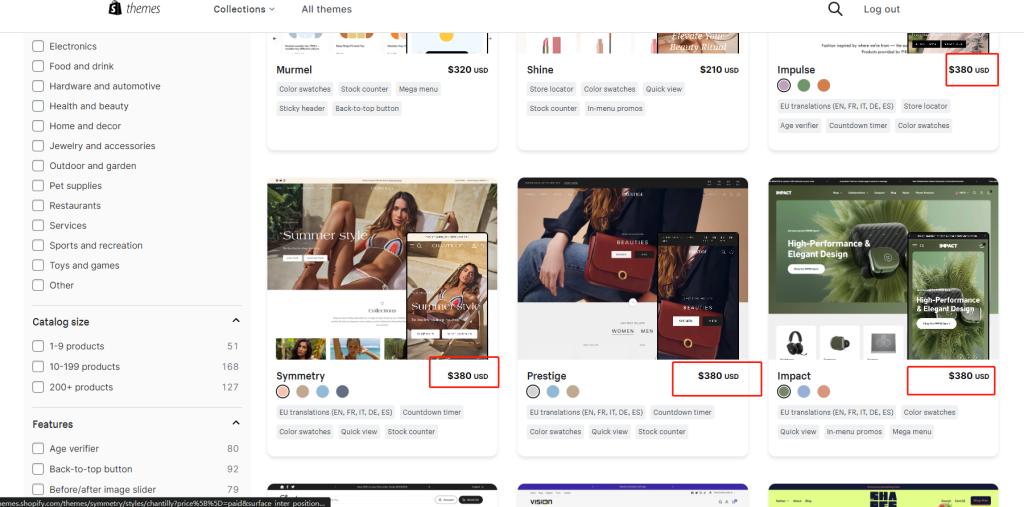
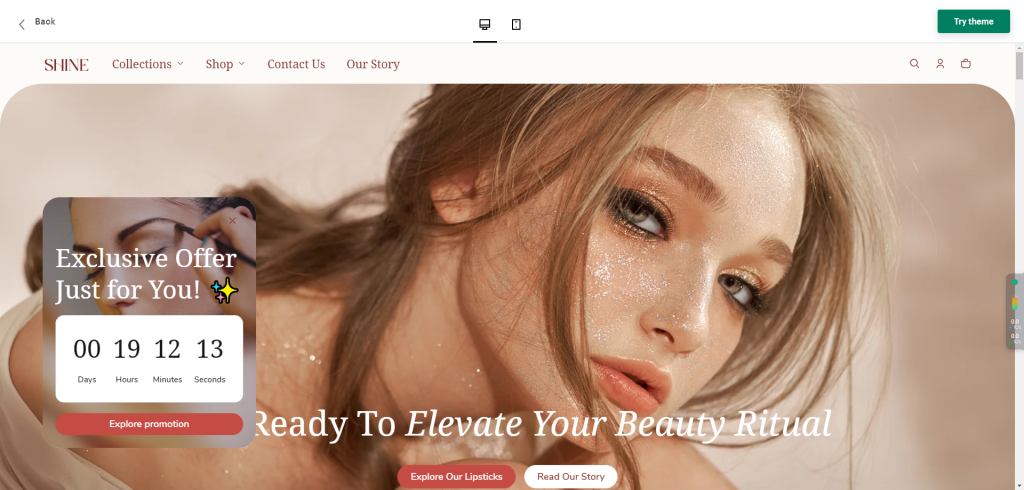
They are feature-rich, and the price covers font licensing and commercial use. If one fits you, wonderful.
Free vs paid
Your theme decides look and layout — and user experience and conversion. Shopify offers both basic free templates and feature-rich paid ones.
Free themes:
- Pros:
- Economical: zero extra cost — right for budget-limited beginners.
- Simple: clean settings, quick to learn.
- Official maintenance: published and updated by Shopify, with a more direct compatibility and support path for core platform features; apps and custom code still need store-specific testing.
- Cons:
- Limited features: fewer customization options for advanced needs.
- Uniform look: few choices; harder to express brand uniqueness.
Paid themes:
- Pros:
- Rich features: advanced layouts, customization and interactions.
- Diverse designs: more styles for a distinctive brand image.
- Professional support: many offer developer support for prompt help.
- Cons:
- Higher cost: theme licensing and later customization need a budget; verify the current theme listing.
- Steeper learning curve: many features, complex configuration; beauty has a study cost.
- Compatibility issues: some third-party apps don't fully mesh with certain paid themes, needing extra technical adjustment.
Alternative sources
"Blogger, question! I want a gorgeous theme AND cheap! What do I do (freeload)?"
For newcomers I still strongly recommend the default theme plus a page-builder app, not a paid theme. Paid themes are complex and demand quality assets; adopt one only after you're fluent and committed long-term.
If you insist on paid — or you've left the beginner village and want advanced play — three channels:
1. The official Shopify Theme Store
- Pros:
- Quality assured: every template passes strict review.
- Frequent updates: kept compatible with Shopify's latest features.
- Official backing: Shopify support has your back.
- Cons:
- Pricey: quality and support cost.
- Limited selection: growing, but smaller than third-party markets.
2. Third-party markets (ThemeForest)
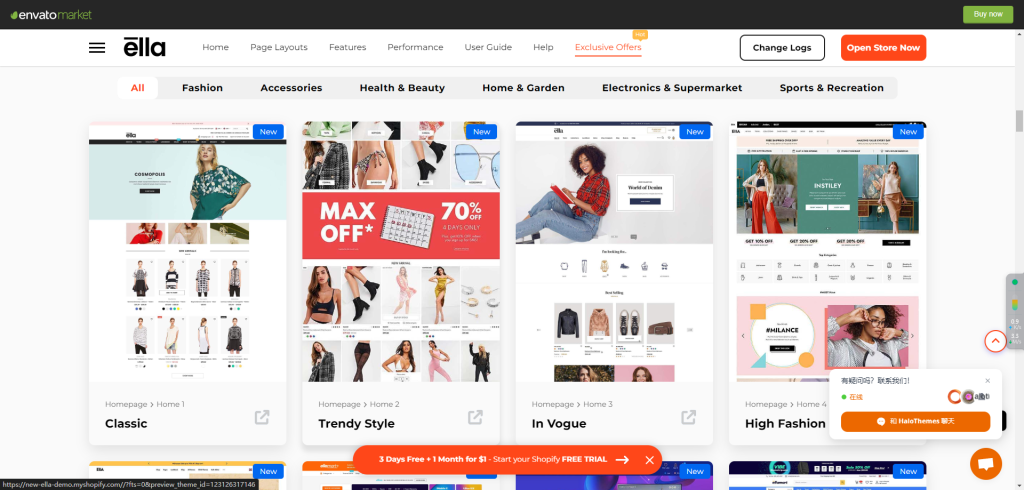
ThemeForest and similar third-party markets list many Shopify themes, but licensing scope, update entitlement, support period and refund terms are set by the specific product and marketplace rules. Do not assume that one purchase includes lifetime updates. Check supported Shopify versions, the last update, developer response history and single- versus multi-store licensing.
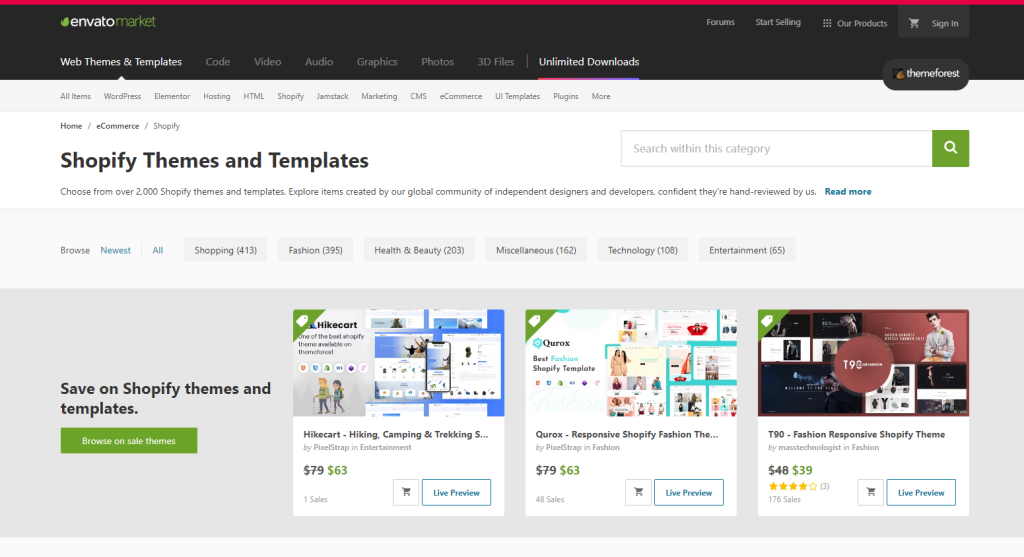
A marketplace cannot vouch for every theme it lists. Scan the package, confirm the source and review dates, and test the theme in a duplicate store before production. Prices and licenses change, so use the live terms at checkout; multi-store use requires particular attention to the license, and an unlicensed copy should not be reused.
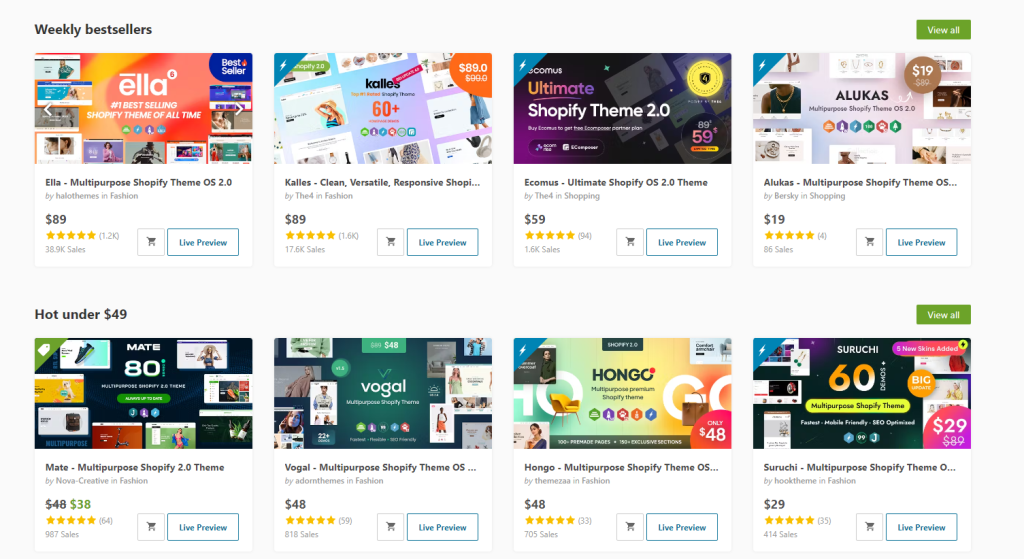
The screenshot above is a marketplace example captured in 2024, so its sales count and price may no longer be current. Sales volume does not establish code quality or fit for a particular catalog. Verify the live listing, changelog and demo, then test product variants, cart behavior, languages, currencies, performance and app compatibility in a duplicate store before launch.
After purchase you receive a zip package. In Shopify admin, next to the store themes, you'll find the upload-zip option.
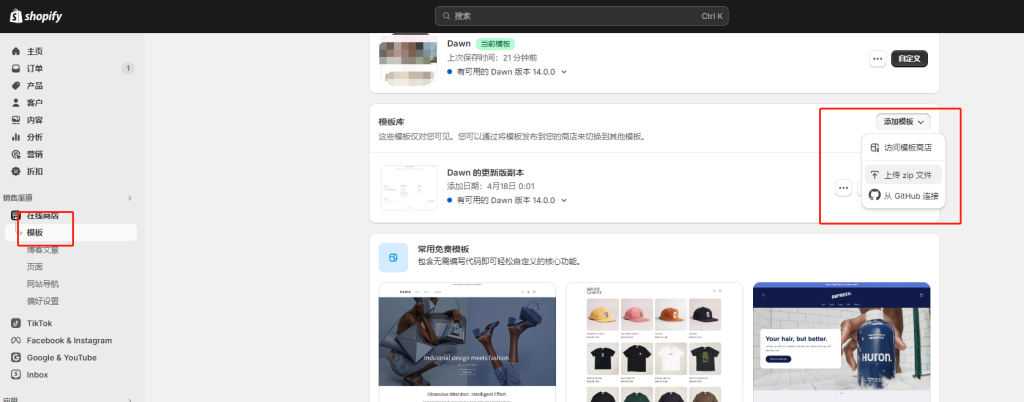
This can cost less than some official-store options, but compare total cost after support, updates, compatibility work and future maintenance rather than purchase price alone.
- Pros:
- Variety: ThemeForest and peers cover every industry and style.
- Flexible pricing: fierce competition means every budget finds options.
- Unique designs: independent developers offer distinctive looks and features.
- Cons:
- Uneven quality: standards vary more than the official store.
- Compatibility risks: some templates lag Shopify's newest features or clash with apps.
3. Custom themes from independent developers (domestic developers exist too)
- Pros:
- Fully bespoke: built to your needs and brand for a one-of-a-kind experience.
- Dedicated support: direct developer support and maintenance.
- Cons:
- Expensive: custom development costs far more than ready-made.
- Long timelines: development and testing take a while.
Some merchants buy themes from unofficial resale channels. If the developer, license and update source cannot be verified, copyright, code-integrity and compatibility risks remain. The author experienced an account review on a store using such a theme, but does not have enough evidence to attribute the review solely to theme licensing.
Use a verifiable license and update source, preserve the purchase record, and test custom code or apps in a duplicate theme before publishing.
Advice on choosing
Don't freeload
Taobao, Pinduoduo and Xianyu are full of "free theme packs" for ¥10–30. I've used them. I got greedy. Here are the traps:
a) No updates
The good outcome: the theme is frozen at one version. Any weird problem after an update may mean paying again — or chasing the seller (if they haven't vanished), costing time and communication.
b) Shopify risk-control updates
In one of my stores this actually happened: I installed a paid theme (from Taobao), Shopify's internal risk system upgraded, classified my store as fraudulent, and banned it outright. Low probability — but losing a store to save pocket change is absurd.
Back up your theme
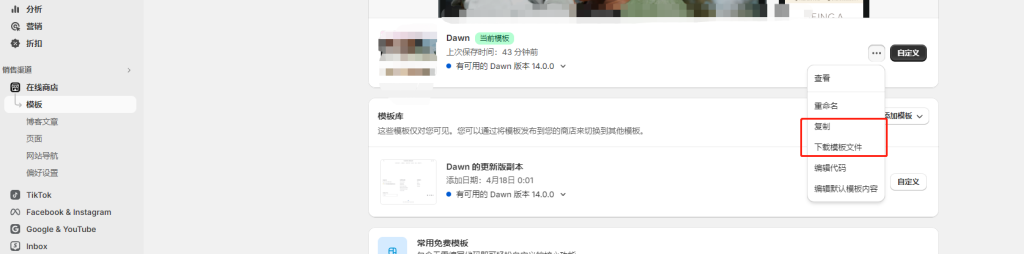
Whatever approach you take, back up. Early exploration is painful — one incompatible app or weird bug wrecks a page and there's nowhere to rewind. Without a backup you restart from zero; with one, your code base stays stable.
I've stepped in enough pits to offer exactly this advice.
What to weigh when choosing
Free vs paid distinctions above — adjust to your needs.
Technically, the theme decides visual style, user experience and conversion. For beginners I rank convenience, safety and economy first; brand experience slightly later.
Evaluate candidates on:
- Simplicity: beginners lack technical depth — free themes are simple; paid ones should come with thorough docs and intuitive interfaces.
- Responsive design: must render well on every device — check all three form factors in the theme store; interrogate third-party sellers about adaptation.
- Feature integration: does it support your core needs — product display, cart, payment integration? Does it play well with common apps? Ask developers for a compatibility list and read the theme page carefully — this affects future extensibility.
- Speed: many paid themes chase beauty with heavy UI and giant renders, which demands optimization skill. Without that experience, skip them — load speed drives dwell time and conversion. Choose lightweight and optimized.
- Design style: does it express your brand personality and please your target customers?
For beginners the paramount metrics are ease of use and stability. Starting out? The official "Dawn" — supported by virtually every app — is the move.
Page builders
Writing this, I noticed few Chinese searches for the term — but plenty in English. Shopify's app market has dedicated page-editing apps; mine is PageFly.
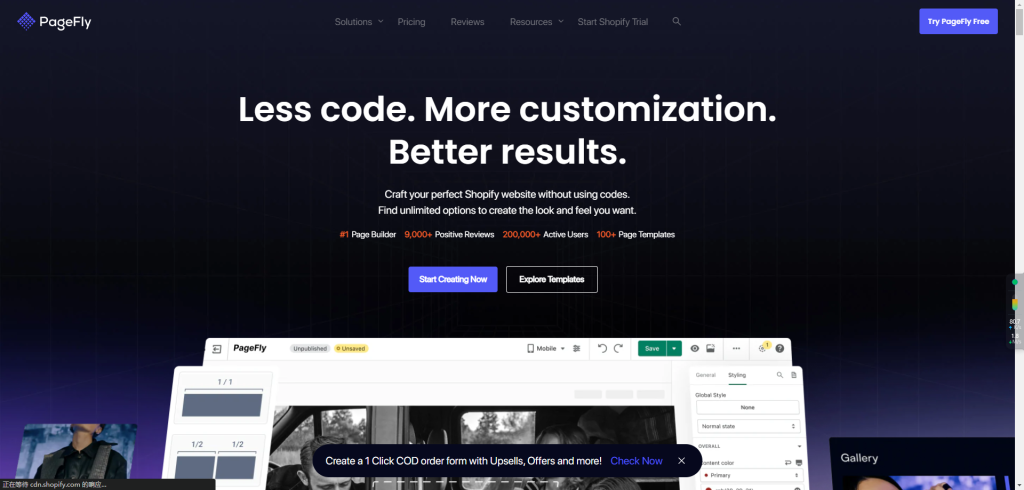
The App Store has many similar options — Shogun is popular — but after trying both, PageFly's design logic and features fit my habits better.
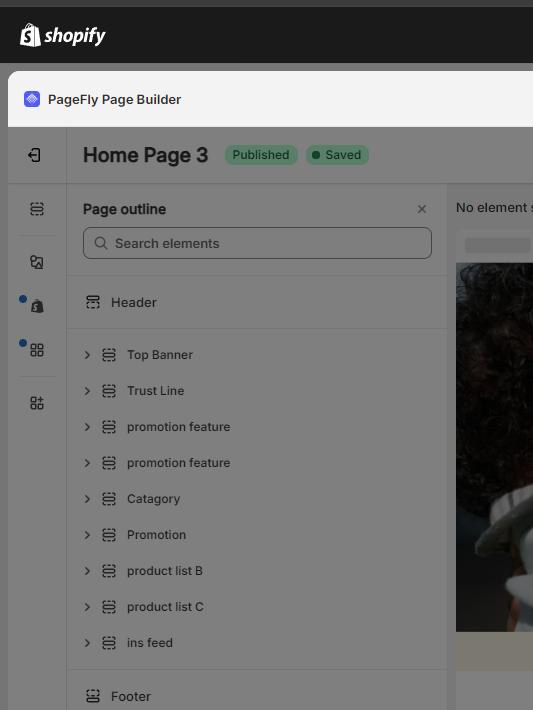
These apps commonly use feature or usage tiers, and pricing changes. Check the current listing, page limits, code residue, performance and data permissions before installation.
For beginners, my recommendation is PageFly + the default Dawn theme.
Reason 1: verify that a page builder is actually needed.
Prefer native sections when they meet the requirement. A builder may be worthwhile for complex landing pages or isolated experiments; benchmark performance and understand how pages are maintained after uninstall.
Reason 2: test first, buy the paid theme after.
Once testing clarifies what you actually need, buying the right theme becomes a one-shot decision. For later tweaks, PageFly's free tier (one page) basically suffices.
Reason 3: the price is right.
Multiply the current monthly fee by the expected usage period and add migration and maintenance time, then compare that total with a suitable theme. Builders and paid themes can both support sophisticated landing pages; decide from required capabilities and a real-page test.
All just my advice, of course — deep-pocketed bosses may ignore it and stride boldly into whatever theme they fancy.
FAQ
- Free or paid Shopify theme — which should I pick?
- List mandatory features and test real products and checkout in an official free theme first. Dawn is a lightweight baseline, not the only answer. A paid theme can reduce app dependence when it includes the required features. Verify current price, support and compatibility in Theme Store and a trial.
- Why is the Dawn theme recommended?
- Dawn is maintained by Shopify, relatively lean and covers common storefront sections, making it a useful baseline. Third-party apps, custom code and specialized merchandising still require store-specific tests.
- Is it safe to buy cheap theme packages on Taobao or Xianyu?
- Avoid a theme package with unverifiable source or license. It creates copyright, security and maintenance risk. The author experienced an account review on a store using a third-party-market theme, but timing alone cannot prove that the theme was the sole cause.
- Do I really need a page builder like PageFly?
- No. When native theme sections meet the requirement, avoiding a page builder is usually easier to maintain. Add one only for a defined layout or experiment, after comparing current price, data access, performance and uninstall cost.