
Shopify Markets Guide (2026): Currency, Catalogs and Shipping
Shopify Markets is not a currency switcher. It groups countries, B2B customers, retail locations, or sales channels and can configure catalogs, pricing, currencies, languages, domains, duties, taxes, discounts, and storefront experience. A store can look localized while checkout has no shipping rate or still processes the default currency.
This Shopify Markets guide focuses on regional markets while explaining B2B, retail, and channel boundaries. Interfaces and plan availability evolve, so begin with Shopify's official Markets introduction.
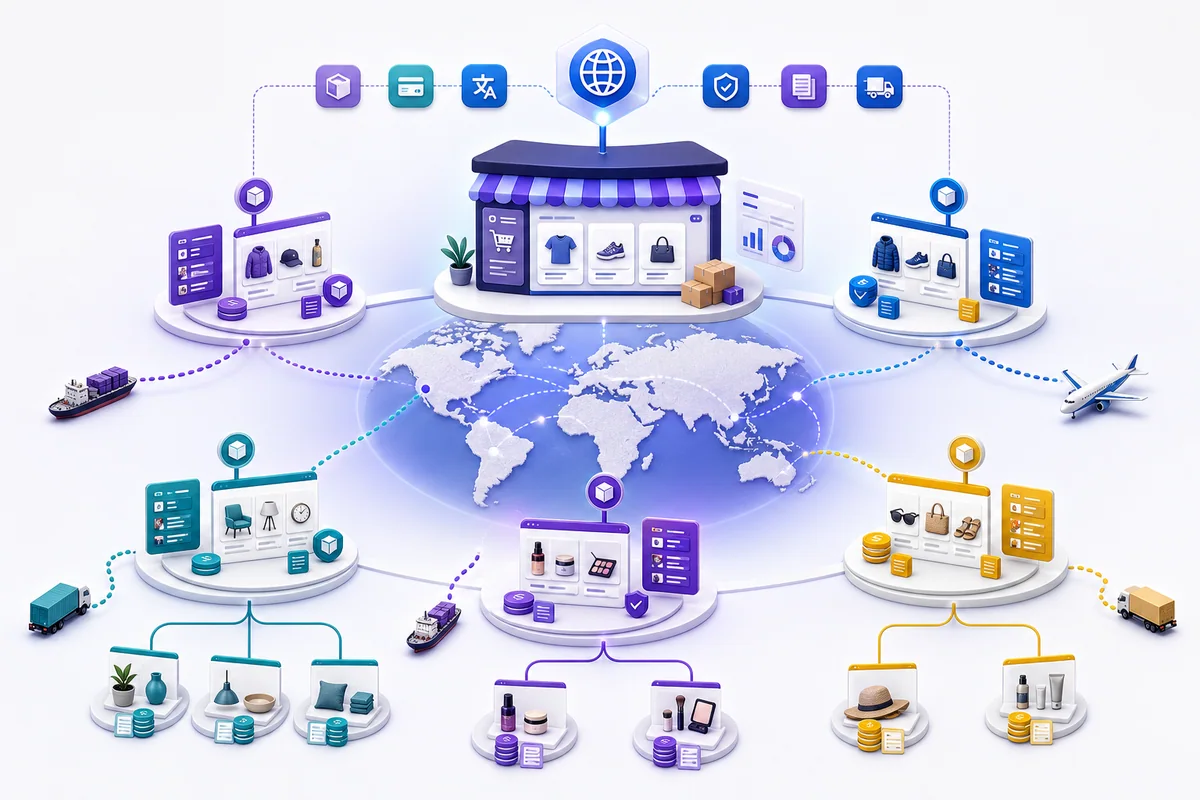
Original editorial illustration: one operating center connects regional domains, currencies, catalogs, and fulfillment rules. It is not a Shopify admin screenshot.
Understand the four market types
- Country or region markets tailor currency, language, products, and pricing based on customer location.
- B2B markets group company locations for wholesale catalogs and prices, with catalog limits that vary by plan.
- Retail markets group POS locations; some catalog customization requires POS Pro or a qualifying plan.
- Channel markets configure product availability, price, or currency for Google, Meta, TikTok, and other channels.
Do not create one market per country mechanically. Countries using the same catalog, pricing, language, and fulfillment policy can start in one regional market. Split a submarket only when a verified operating difference exists. Verify market-type scope and plan differences in Shopify's official market types guide.
Hard requirements before activation
Shopify currently requires a country to be in an active market and to have shipping rates before customers there can purchase. Multi-currency payment also depends on an eligible processor; Shopify identifies Shopify Payments or Adyen as core options, subject to store eligibility. Review the Markets requirements and considerations.
Before activation, verify:
- the entity and payment provider support the country and settlement currency;
- shipping zones, rates, delivery estimates, and return addresses are executable;
- products meet local sales, labeling, tax, and compliance requirements;
- pricing covers duties, taxes, payment, delivery, and return risk;
- translation covers products and policies, not only navigation;
- analytics and advertising can distinguish market, currency, and order.
Design the hierarchy
Create a worksheet with country, currency, language, domain, catalog, pricing rule, shipping, duties, taxes, and owner. Group countries with identical rules, then use submarkets for countries that genuinely require different products, prices, or languages.
The current market model includes inheritance: a child market uses parent or store defaults until a customization overrides them. Avoid copying every setting, which makes later changes difficult to trace. Shopify's market-management guide documents inherited and customized settings and preview behavior.
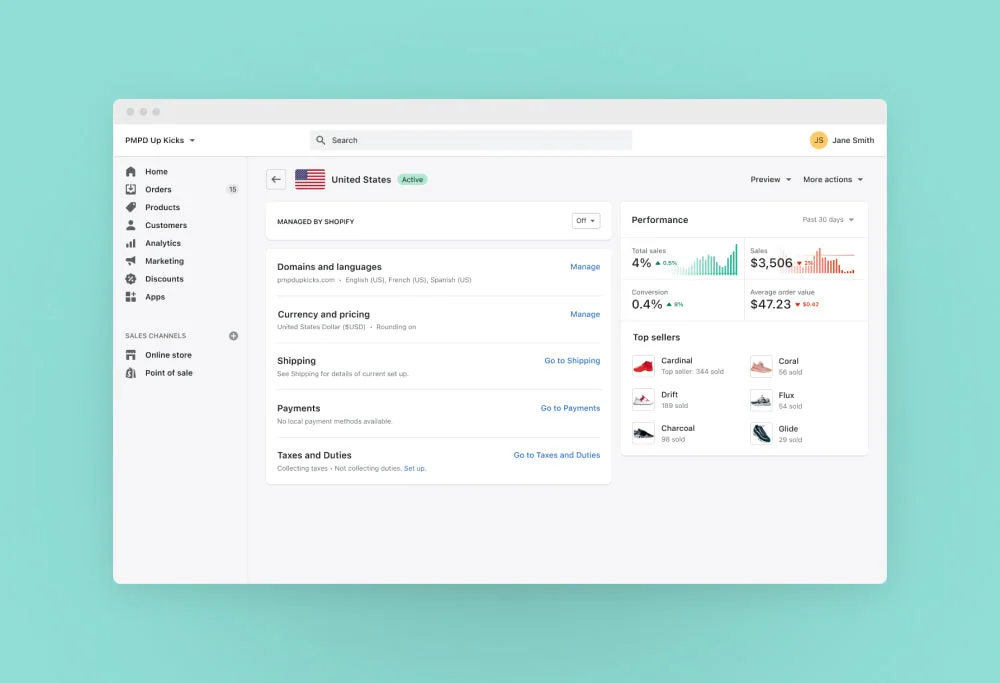
Historical official interface example: Shopify's 2021 Markets launch showed domain and language, currency, shipping, payment, tax, and duty controls for a market. Source: Shopify's official launch announcement. Current admin paths and capabilities can differ.
Configure catalogs and pricing
A catalog controls which products a market sees and at what price. Start with defaults, then remove items that cannot legally be sold, profitably delivered, or reliably supported. Do not apply a universal localization markup. Build price from payment, exchange rate, duties, taxes, shipping, returns, and competitive context.
Channel markets can inherit regional catalogs. When Google & YouTube needs a different selection or price, verify that channel setup before connecting Shopify to Merchant Center so feed and landing page remain consistent.
Cost worksheet for each market
| Cost layer | Calculation or check | Evidence source |
|---|---|---|
| Exchange and pricing | Local price, adjustment, FX buffer, and rounding | Markets price preview and finance policy |
| Payment and settlement | Processing, cross-border, refund, and conversion costs | Provider fee schedule and settlement statement |
| Duties and taxes | Tax-inclusive status, duty collection, registration, and filing | Tax adviser, customs, and platform settings |
| Shipping and fulfillment | First/last mile, surcharges, storage, and failed delivery | Carrier contract and actual labels |
| Localization and support | Translation, content maintenance, time zones, and tools | Supplier quote and labor record |
| Returns and loss | Return rate × reverse-logistics and product-loss cost | Order and refund data |
| Domains and apps | Market domains, translation, compliance, and operations apps | Registrar and app invoices |
This table prevents omissions; it is not a universal fee schedule. Before launch, use current quotes for the target market and calculate contribution margin under at least one conservative scenario.
Configure currency, domains, and language
Displayed currency, checkout processing currency, and settlement currency are different layers. Confirm payment capability before changing market currency; the local-currency checkout guide covers that distinction, while Shopify's official local-currency documentation provides current eligibility and configuration details.
Language URL structures can use domains, subdomains, or subdirectories depending on configuration. Each language should have a crawlable URL, correct canonical and hreflang, and a user-controlled switch. Translation needs to cover purchase decisions and policies. Automatic redirection should not prevent search engines or users from reaching another locale.
Duties, taxes, and discounts
Tax and duty obligations depend on business location, destination, product, and registration status; a platform setting is not professional tax advice. Decide whether prices include tax, who pays duties, whether checkout collects them, and how refunds work. Fixed discounts can be created in the store default currency and converted at checkout, so test rounding and display in target currency.
Shipping
An active market without an applicable shipping zone can still fail at checkout. Inspect shipping profiles, locations, product assignment, weight or price conditions, free-shipping thresholds, and excluded addresses. The Shopify Markets shipping guide provides a focused troubleshooting sequence.
Respect plan limitations
Regional markets are available across multiple plans, but market-specific theme, checkout and account customization, checkout blocks, or business entities can require Advanced or Plus. B2B catalog availability also varies. Do not promise a feature from an old screenshot; check the official feature table and the store's admin.
Launch test matrix
For every market:
- open the expected URL with preview or a representative device;
- verify product selection, price, language, and currency;
- add an in-stock item and enter a correctly formatted local address;
- confirm shipping, tax, duties, and discounts;
- complete a test order and reconcile payment and settlement currency;
- inspect notification, refund, and support templates;
- verify market and currency in analytics;
- compare Google or Meta product data with the landing page.
Validate one priority market end to end before replicating it. Activating many countries simultaneously multiplies shipping, payment, translation, and compliance defects.
Conclusion
The reliable sequence is eligibility, hierarchy, catalogs and pricing, then currency, language, duties, taxes, and shipping tests. A country selector is not acceptance evidence. A real order completing with the intended product, price, currency, payment, and fulfillment path is.
FAQ
- Does Shopify Markets enable multi-currency checkout for every store?
- Not necessarily. Shopify currently states that accepting payments in multiple currencies requires an eligible processor such as Shopify Payments or Adyen; another provider can leave checkout in the store default currency.
- Why can customers not check out after a market is created?
- The country must be in an active market and have a usable shipping rate. Also verify catalog, inventory, payment, address restrictions, and market status rather than checking only the currency selector.
- Are all Shopify Markets features included on Basic?
- Regional markets are broadly available, but market-specific theme, checkout, account, business-entity, and some catalog capabilities have plan requirements. Verify the current feature table and store eligibility.