
Qwen Image 3 for Ecommerce: Access, Pricing and Tool Choice
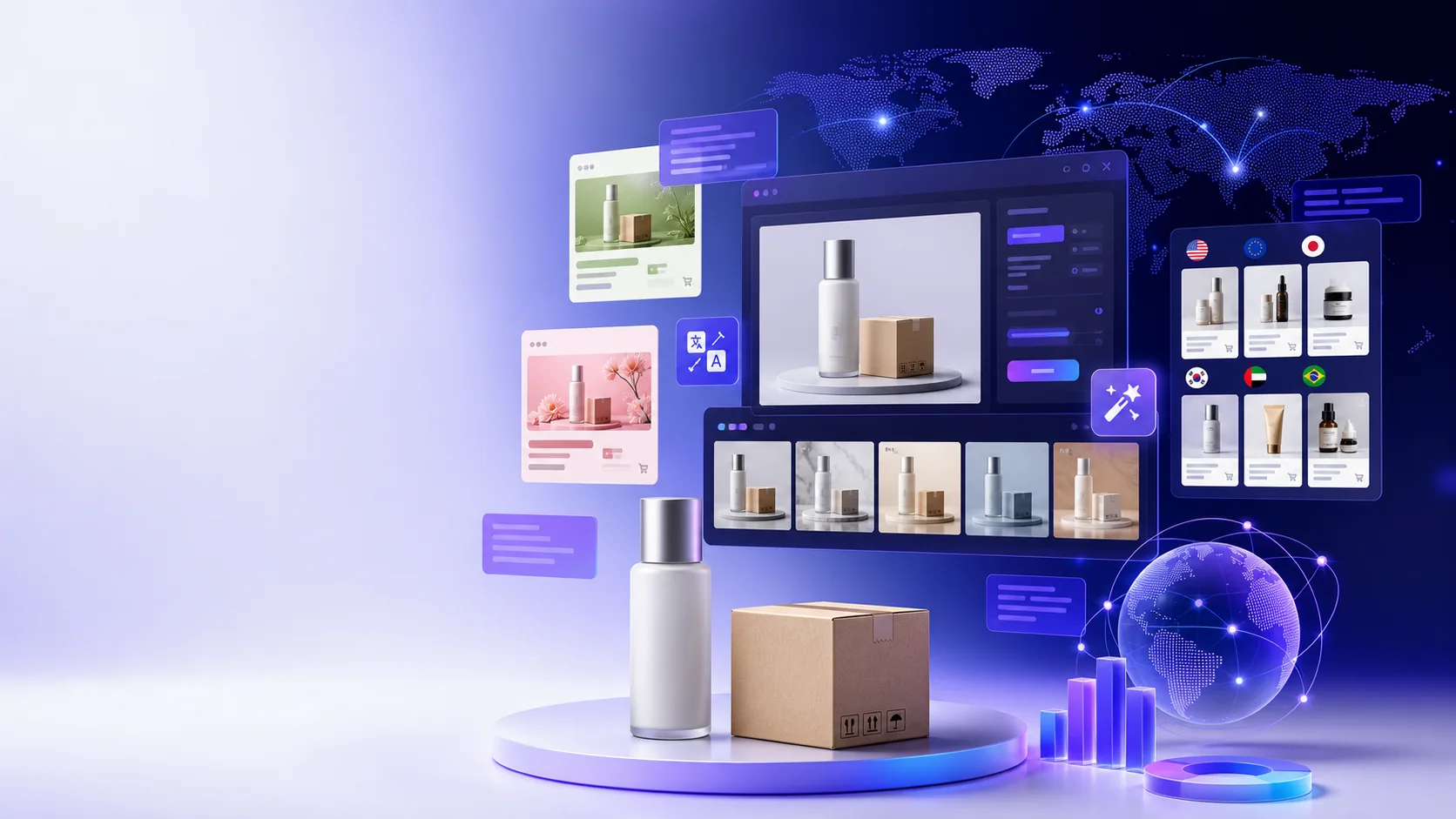
Use this map to keep the article focused on comparison and the decisions most relevant to Cross-border ecommerce operators choosing AI image tools for Shopify catalogs and international advertising.
The short answer is that Qwen Image 3 is worth testing for ecommerce, but it is not automatically a complete product-image production system. Its strongest potential lies in multilingual posters, information-dense product graphics, advertising storyboards and creative exploration. When the job requires batch SKUs, cutouts, product consistency, team approval and direct publishing, Shopify Magic, Pebblely or Photoroom can remove more operational steps.
There is also an important evidence boundary. As of July 22, 2026, the verifiable Qwen-Image-3.0 access point found in first-party public material is Qwen's own launch post linking to Qwen Studio. I found no public announcement from an ecommerce SaaS vendor stating that its product runs on Qwen-Image-3.0. A generic “Qwen Image” label, support for Alibaba Cloud, or access to an older Qwen model is not proof of a 3.0 integration.
This is launch-day research based on official announcements, documentation, help centers and pricing pages. It is not presented as a long-term production benchmark. Access, prices and underlying models can change, so reopen the original sources before purchasing or integrating an API.
What changed in Qwen Image 3?
The official Qwen announcement organizes the release around three ideas:
- Rich content: input of up to 4.5K tokens and layouts such as newspapers, storyboards, exam papers and complex interfaces.
- Authentic details: official examples focus on 10-pixel text, formulas, paper, skin and fine texture.
- Deep knowledge: Qwen says the model natively renders 12 languages, covers more than 100 artistic styles and multiple interface types, and can use connected knowledge in some examples.
For cross-border commerce, the opportunity is larger than placing a product on an attractive background. A model that handles dense layouts may help organize benefits, instructions, ingredients, dimensions and localized copy in one visual. The official demonstrations are still capability demonstrations, however. They do not guarantee that a brand font, bottle shape, label, compliance statement or measurement will be correct on the first attempt.
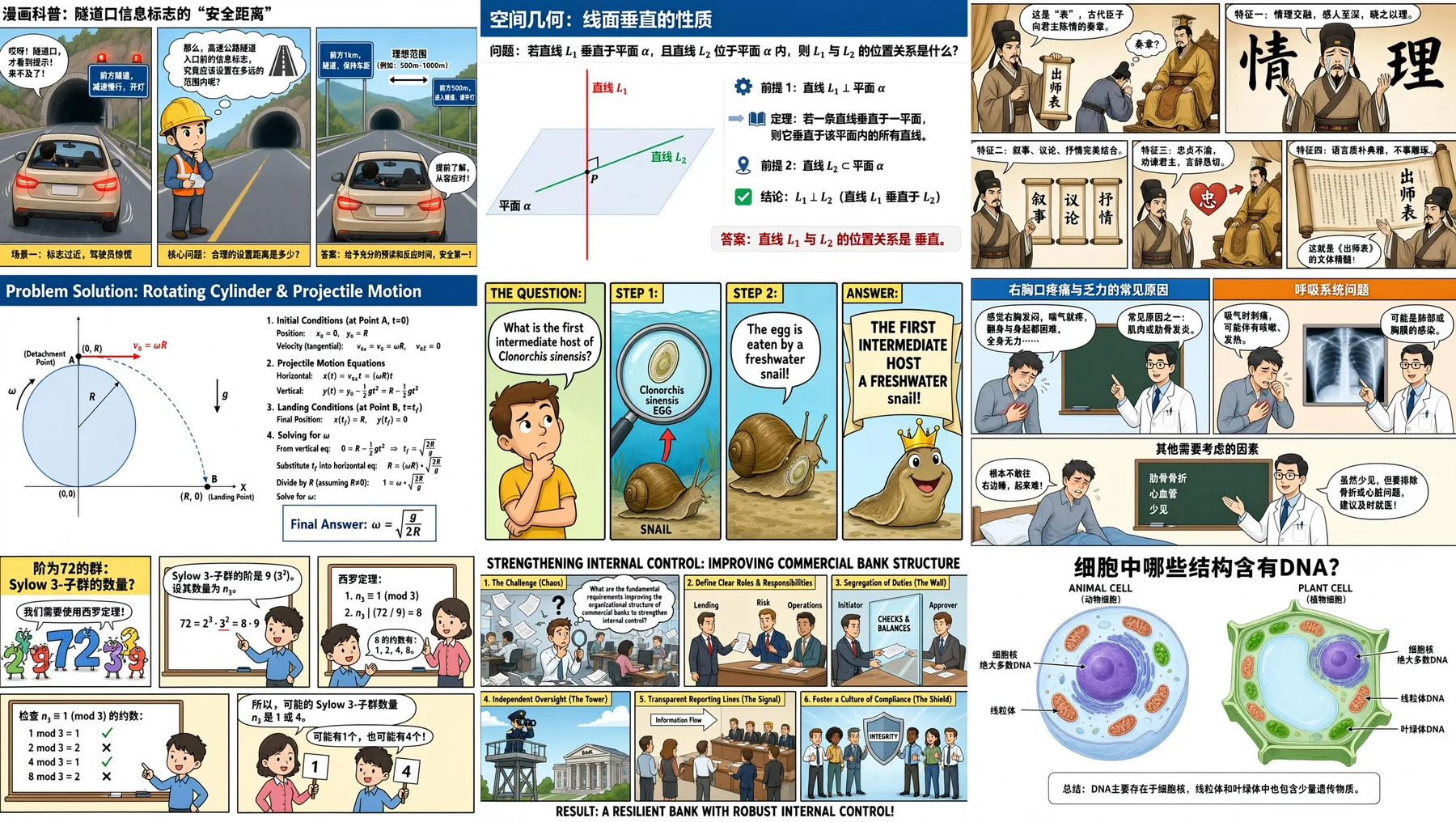
Image source: Qwen Team's official launch post, published July 21, 2026. It is reproduced here for product identification and commentary on complex layouts. Copyright remains with the original creator, and the official page or model outputs may change.
Four ecommerce tasks worth testing
1. Multilingual advertising and localized product graphics
Text rendering and layout control matter more than photographic polish when one product needs English, Spanish, Japanese or Korean campaigns. A team can keep the benefit hierarchy and brand colors consistent while generating localized drafts. A qualified editor should still verify every translation, especially ingredients, performance claims, warranties and regulated statements.
2. Information-dense product images
Dimension comparisons, installation steps, package contents, material layers and use instructions are logical test cases. Qwen's long-input and multi-region examples are relevant, but the source of truth must remain the product information system. A generated diagram should never define a measurement or safety warning.
3. Advertising storyboards and creative proposals
An independent store can combine audience, scene, shot, lighting and benefit requirements in a longer creative brief, generate a storyboard, and hand the selected direction to a photographer or designer. This can accelerate alignment without granting permission to use a celebrity, protected character or competitor packaging.
4. Controlled edits to existing product photographs
The launch post also shows image editing, including annotations, repair and additions based on an input image. Ecommerce teams can test background changes, canvas extension and supporting elements. Product outline, logo, label, capacity, connectors and accessory count still need a human comparison against the source photograph.
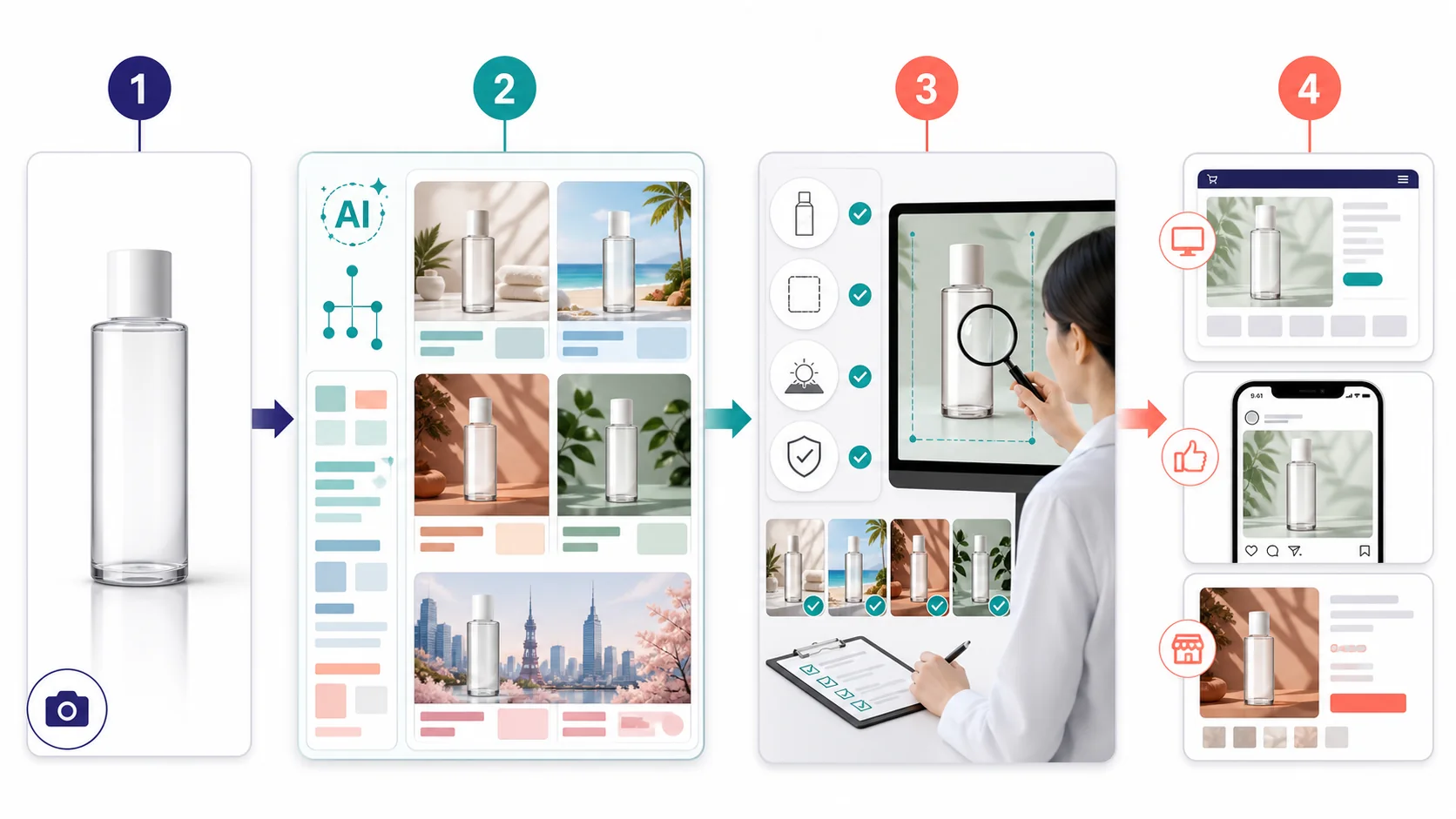
Original AI-assisted illustration: created by Haiwaibiji with OpenAI image generation to explain a source–generation–review–distribution workflow. It is not a Qwen interface screenshot or a Qwen Image 3 benchmark result.
Which websites officially use Qwen Image 3?
“Available to try,” “listed by model name” and “useful for ecommerce” are different claims.
| Platform | Public evidence as of July 22, 2026 | Is 3.0 confirmed? | Ecommerce relevance |
|---|---|---|---|
| Qwen Studio | The official Qwen-Image-3.0 post links directly to this experience | Confirmed official access | Best place to test dense layouts, multilingual rendering and creative range |
| Alibaba Cloud Model Studio | Current public image documentation still names Qwen Image 2.0 Pro and recommends Wan 2.7 for some image tasks | The public docs do not yet confirm a 3.0 API | Do not transfer a 2.0 model ID, quota or price to 3.0 |
| Shopify Magic | Shopify documents its own media workflow but does not identify Qwen as the underlying model | Not confirmed | Close to product and file management, but Shopify relevance is not evidence of a Qwen integration |
| Pebblely / Photoroom | Their official pages emphasize product scenes, batch tools, APIs or catalog workflows without naming Qwen-Image-3.0 | Not confirmed | Valid production alternatives, not verified Qwen 3 partners |
If a third-party site says only that it supports “Qwen Image,” look for the full model name, version, announcement date and a first-party integration notice. Without those items, treat the claim as unverified.
Current price comparison
The official launch provides an experience link but no per-image Qwen Image 3 API price. The table therefore compares official model exploration with established ecommerce workflows without implying that they share an underlying model.
| Choice | Public price | Best for | Verify before paying |
|---|---|---|---|
| Qwen Studio / Qwen-Image-3.0 | No 3.0 per-image API price in the launch post | Teams testing complex layout, multilingual text and creative limits | Commercial terms, export quality, quota, regional access and production API availability |
| Shopify Magic media generation | Temporarily included with eligible Shopify plans at no additional charge | Merchants already managing a small or medium catalog in Shopify | Basic, Grow, Advanced or Plus is required; default output is about 1 MP, one generated scene at a time, and the offer can end |
| Pebblely | Lite $9/month for 30 images, Basic $19 for 200, Pro $39 for 500 | Small teams generating product scenes, templates and channel sizes | Credit rollover, reference-image quality, transparent materials and edge accuracy |
| Photoroom API | Background removal $0.02/image; Image Editing API $0.10/image; sandbox output is watermarked | Developers automating cutouts and catalog-scale image work | App and API billing are separate; model production calls, quotas, retries and team costs explicitly |
Prices were checked on July 22, 2026. They exclude exchange rates, tax, a base Shopify subscription, human review and rework. A more useful metric is:
Cost per approved image = (subscription + API use + review labor + rework) / images that pass review.
A low-cost generator that preserves only two products out of ten can be more expensive than a higher-priced but repeatable tool. Use the site's Shopify cost calculator to model the broader store cost.
Official model or ecommerce software?

Original AI-assisted illustration: created by Haiwaibiji with OpenAI image generation. The left side represents model experimentation and the right side catalog, batch and approval workflows. It is not a real software interface or a feature promise.
Start with official Qwen when
- You need to test long prompts, information graphics or text across the advertised language set.
- The output is a concept, storyboard or product-page layout draft rather than a batch-ready listing asset.
- A person can review every image and retain the source photo, prompt and version.
- You can wait for API, pricing and commercial availability details to become clearer.
Start with Shopify Magic when
- The products already live in Shopify and reducing tool switching matters.
- The main tasks are background changes, canvas extension and straightforward scenes.
- The catalog is small enough for image-by-image review.
- The current output and one-scene-at-a-time limits are acceptable.
For the surrounding workflow, see Shopify page management and the Shopify tutorial hub.
Start with Pebblely or Photoroom when
- Batch product scenes, standard dimensions and channel templates are required.
- Transparent materials, shadows, cutouts and subject preservation matter more than dense copy.
- The team needs review controls, catalog processing or API automation.
- A published allowance is needed for monthly capacity planning.
A lower-risk seven-day evaluation
Do not select a tool by asking which single image looks best. Choose ten real SKUs that include a transparent bottle, reflective metal, textile, a small printed label and a multi-accessory product. Give every candidate the same tasks: a white-background main image, a lifestyle scene, a square advertisement and one localized benefit graphic.
Record product-shape changes, label accuracy, text accuracy, required cutout work, completion time, export resolution and final approval. Then calculate cost per approved image. The Shopify brand color tool can help establish a palette, but the brand specification remains the source of truth.
Pre-publication checklist
- Product shape, quantity, accessories, dimensions and material have not changed.
- Logos, labels, ingredients, certifications and warnings are verified character by character.
- A qualified reviewer checks translations for the target market.
- Source photographs, prompts, outputs, edits and permission records are retained.
- No unauthorized celebrity, character, trademark or competitor packaging is used.
- Compression, alt text, filenames and mobile crops are checked.
- Price, API availability and commercial terms are reopened on the purchase date.
Recommendation
To learn whether Qwen Image 3 can improve an ecommerce visual workflow, start with a small set in the official experience and focus on multilingual small text, dense benefit graphics and storyboards. Its demonstrated advantage is creative and information capacity, not yet proven catalog-scale repeatability.
If the immediate goal is to turn dozens or hundreds of SKUs into publishable assets, choose the tool closest to the existing workflow. Shopify merchants should test Magic first; teams focused on quick product scenes can evaluate Pebblely; developers needing APIs, cutouts and catalog automation can assess Photoroom. Revisit the model question when third parties publish a complete version name, 3.0 API price and service terms that make a measurable production advantage possible.
Related reading: international AI tools for ecommerce covers the factual, rights and privacy gate for publishing AI-assisted work.
FAQ
- Does Qwen Image 3 have public API pricing?
- As of July 22, 2026, the official Qwen-Image-3.0 launch post does not publish a per-image API price. Alibaba Cloud's public Model Studio documentation still lists the Qwen Image 2.0 family, so its pricing should not be assigned to 3.0.
- Which ecommerce platforms have officially announced Qwen-Image-3.0 support?
- The verifiable access point in this review is Qwen Studio, linked directly from the official launch post. Public pages for Shopify Magic, Pebblely and Photoroom do not identify Qwen-Image-3.0 as their underlying model.
- Should a Shopify merchant use Qwen directly or an ecommerce image tool?
- Start with Qwen for multilingual posters, dense layouts and concept exploration. Prefer Shopify Magic or a specialist product-image tool when subject preservation, batch processing, review controls and direct publishing matter more.